Short description
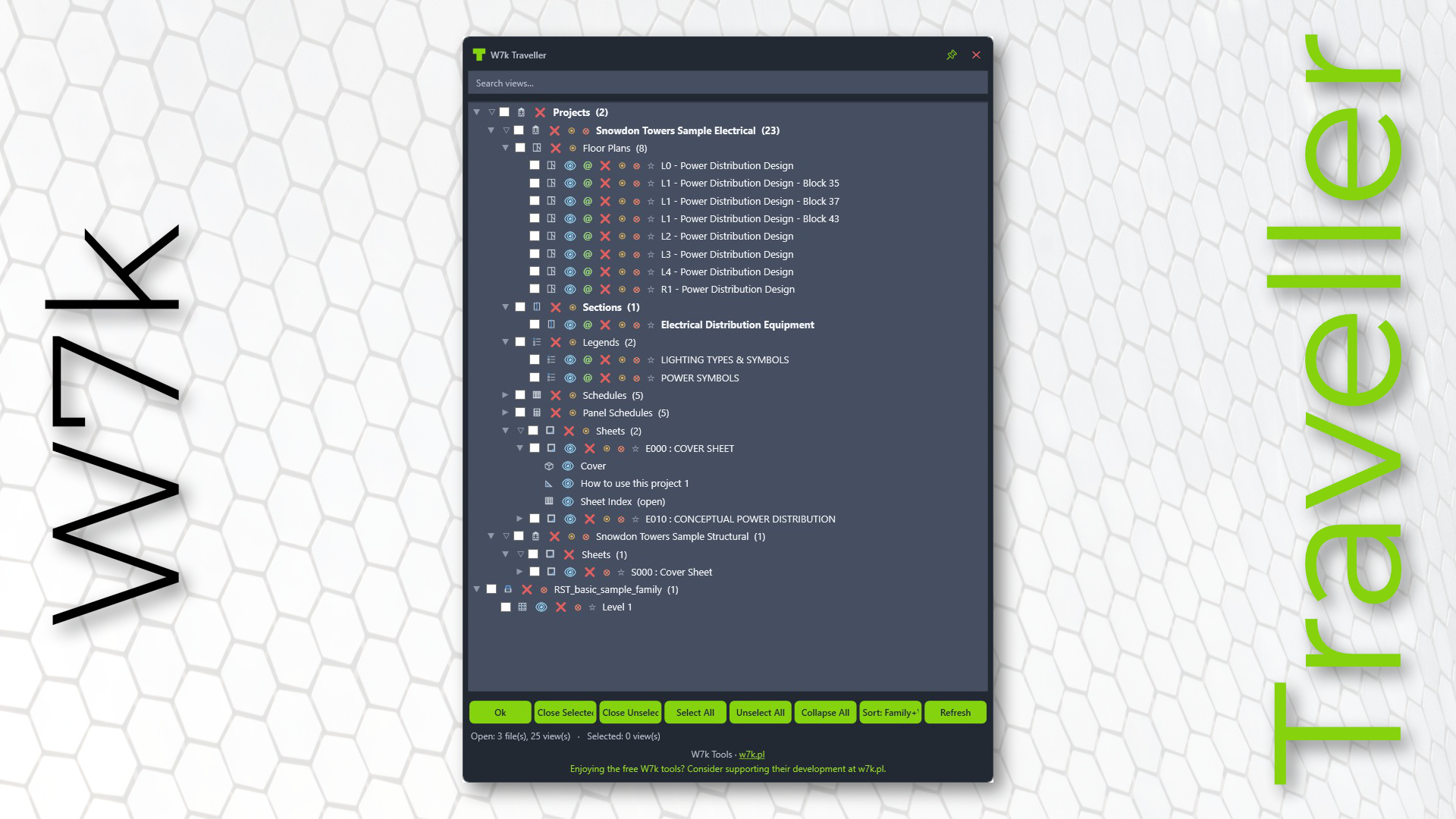
W7k Traveller - a fast view manager that lists every open view across all your open projects and families in one searchable tree, so you can jump between them, tidy up, and bulk-close without hunting through tabs.
About
Revit’s open-views tabs get crowded fast - especially when you’re working across several projects and linked families at once. W7k Traveller gives you a single modeless panel that shows everything you have open, grouped and sorted the way you think.
From one place you can navigate to any view, see which views live on which sheets, pin the ones you keep coming back to, rename views and sheets, and close views or whole documents individually or in bulk. A Windows-Explorer-style selection model lets you tick dozens of views in a couple of clicks. The panel matches Revit’s light/dark theme and stays out of your way until you need it.
Supports Revit 2020-2027.
Who should use this tool
- Architects and engineers juggling multiple projects, links, and families in a single session.
- BIM coordinators and modelers who routinely open dozens of views and need to clean up quickly without losing their place.
- Sheet and documentation teams who want to move between a view and the sheet it sits on instantly.
- Anyone tired of scrolling a wall of view tabs to find the one they need.
Options
| Option | What it does |
|---|---|
| Open / activate a view | Double-click any row to jump straight to that view. |
| All open views in one tree | Lists every open view across all open projects and families, grouped under Projects and Families folders. |
| Flexible sorting | Group views four ways - by View Type, by Family Type, View Type + Family Type, or Family Type + View Type. Your last choice is remembered for the session. |
| Search / filter | Type to instantly narrow the tree to matching views; non-matches are dimmed. |
| Multi-select & bulk tick | Click, Shift+click for a range, and Ctrl+click to add or remove individual rows - Explorer-style. Ticking one selected row ticks them all, ready for a bulk close. |
| Close view | Close a single view straight from its row. |
| Close others (scoped) | Close every other view within a project or family, keeping only the one you chose. |
| Close others (everywhere) | Close all other open views across every file, keeping just the active one. |
| Close documents | Close an entire project or family, with confirmation and a warning if pinned views are affected. |
| Pinned views | Pin the views you return to; they sit in a dedicated folder at the top and survive closing and reopening. |
| Sheet awareness (@) | A green @ opens the sheet a view is placed on; a blue @ means it’s on several - pick from a popup list. |
| Rename (F2) | Rename a view or sheet (including sheet number) without leaving the panel. |
| Right-click menu (Revit 2025+) | Manage open views directly from Revit’s view-tab context menu, without opening the form. |
| Revit-matched theme | Automatically follows Revit’s light or dark UI theme. |
Link to the Autodesk App Store